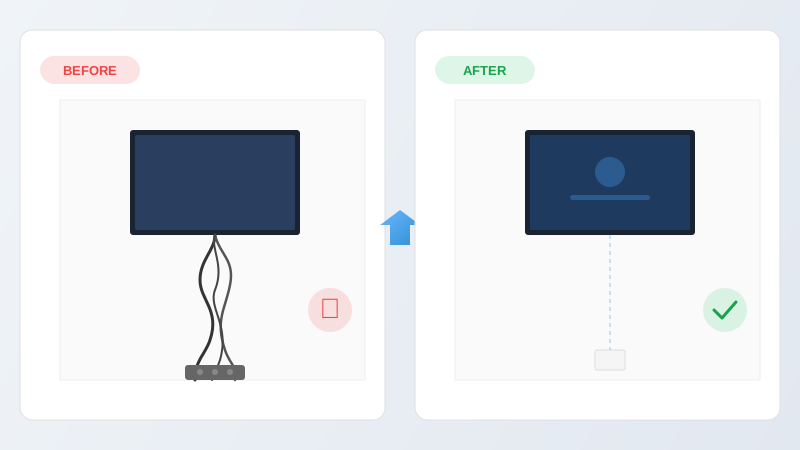
A wall-mounted TV looks fantastic — until you notice the tangle of cables dangling beneath it. Power leads, HDMI cables, aerial feeds and soundbar wires can quickly ruin the clean look you were going for. The good news is there are several ways to deal with them, ranging from a five-minute fix to a permanent, invisible solution.
Having spent over 30 years mounting TVs across Essex, Roger has tried every method going. Here's an honest comparison of the five most common approaches, with the pros and cons of each.
Wall Chasing
Best optionWall chasing means cutting a narrow channel into the wall, running the cables through it, and then filling and plastering over the top. Once painted, the cables are completely invisible — no covers, no trunking, no compromise.
On a solid brick or block wall, a chasing tool cuts two parallel lines and the masonry between them is knocked out to create a channel about 25mm deep. Cables are laid into the channel, covered with protective capping where required, and then filled with bonding plaster. The surface is skimmed smooth and left ready for painting.
On plasterboard walls the approach is slightly different. Rather than cutting into the board, cables are fed through the cavity behind it. A small hole is cut behind the TV position and another near the power socket. The cable is then dropped or fished through the gap — no visible channel needed.
Pros
- Completely invisible result
- Permanent solution
- Works on all wall types
- Professional finish that adds to the room's appearance
Cons
- Creates dust (a professional installer will sheet up and clean thoroughly)
- Takes 2–3 hours including drying time
- Not a DIY job unless you're confident with plaster and chasing tools
This is the method we use on almost every TV wall mounting job. The result is a screen that appears to float on the wall with no visible wiring at all.
Cable Trunking
Cable trunking is a plastic or metal channel that fixes to the wall surface and contains the cables inside it. It comes in various sizes and is available in white, black or paintable finishes. The trunking has a removable lid, so cables can be added or changed later.
Trunking is a solid mid-range option. It keeps cables tidy and protected, and it's relatively easy to install — you just screw the base to the wall and clip the cover on. However, it does sit proud of the wall surface, so it's always visible even when painted to match.
Pros
- Neat and organised
- Cables are protected and accessible
- Easy to install
- Relatively inexpensive
Cons
- Visible on the wall surface
- Can look industrial if not colour-matched carefully
- Collects dust along the top edge
Adhesive Cable Covers (Raceways)
Cable covers — sometimes called raceways or cord covers — are lightweight plastic channels that stick to the wall with adhesive tape. They're the most popular DIY option because they don't require any drilling or tools beyond a pair of scissors or a junior hacksaw.
They work well for a single HDMI and power cable, but struggle with thicker bundles. The adhesive can also fail over time, especially on textured walls or in warm rooms, leaving the cover hanging off the wall.
Pros
- No drilling required
- Very cheap (£5–£15)
- Easy to remove without damaging the wall
- Paintable
Cons
- Adhesive may fail over time
- Limited capacity for multiple cables
- Visible on the wall
- Can look cheap close up
Routing Behind Furniture
If your TV is mounted above a media unit, sideboard or console table, you can often route cables down behind the furniture where they're naturally hidden. This works best when the furniture is tight to the wall and tall enough to cover most of the cable run.
The cables still hang loose behind the furniture, so this is really a concealment trick rather than a proper cable management solution. It falls apart if you rearrange the room or swap to a different piece of furniture.
Pros
- Free
- No tools or materials needed
- Instant result
Cons
- Only works with the right furniture layout
- Cables are loose behind the unit
- Moving furniture exposes everything
- Dust and cable tangles build up behind the furniture
Wireless HDMI Transmitters
Wireless HDMI kits transmit the video signal from your source (Sky box, games console, Blu-ray player) to a receiver behind the TV, eliminating the HDMI cable. You place the transmitter next to your devices and the receiver behind the mounted screen.
The technology has improved a lot in recent years, but there are still limitations. Most wireless HDMI kits max out at 1080p or introduce slight input lag, which matters for gaming. They also don't eliminate the power cable — your TV still needs mains electricity at the wall, so you'll still have at least one wire to deal with.
Pros
- No HDMI cable between TV and source equipment
- Clean look if combined with a power socket behind the TV
Cons
- Expensive (£80–£200+)
- Potential signal dropouts or lag
- Doesn't eliminate the power cable
- Adds another remote/device to manage
- 4K support is limited and pricey
Which Method Should You Choose?
For a permanent, clean result, wall chasing is the clear winner. Once the plaster is dry and painted, the cables are gone — completely invisible, permanently. It's the method we recommend and use on the vast majority of our installations.
If you're renting or don't want any wall damage, adhesive cable covers are a reasonable temporary fix. Cable trunking sits in the middle — more robust than stick-on covers but always visible on the surface.
Wireless solutions and furniture routing both have their place, but they come with compromises that usually outweigh the convenience.
Frequently Asked Questions
- Can I chase cables into a plasterboard wall?
- Yes, but the technique differs from solid walls. Rather than cutting a channel into the plasterboard itself (which would weaken it), cables are typically fed through the cavity behind the board. A small hole is cut behind the TV and another near the socket, and the cable is dropped or fished through the gap. On dot-and-dab walls there's usually enough space in the adhesive gap to route cables comfortably.
- How much does it cost to hide TV cables in the wall?
- Professional wall chasing with re-plastering typically costs £50–£80 on top of the TV mounting price. The exact cost depends on the distance between the TV and the nearest socket, the wall type, and whether new sockets need to be installed. Cable trunking or surface-mounted covers are cheaper at around £20–£40 but leave a visible channel on the wall.
- Is it safe to run TV cables inside the wall?
- Yes, provided the cables are suitable for in-wall use. HDMI, coaxial and speaker cables can all be run inside walls safely. Mains power cables must be enclosed in protective capping or conduit and routed according to building regulations (vertically or horizontally from the socket). A professional installer will ensure everything is compliant and safe.
- Can I hide cables without drilling into the wall?
- Yes. Surface-mounted cable covers stick to the wall with adhesive and can be painted to match. They're the most popular no-drill option. You can also route cables behind furniture, inside skirting board channels, or use wireless HDMI transmitters to eliminate the HDMI cable entirely — though you'll still need power at the TV.
Want a Cable-Free Finish?
We wall-chase and conceal cables on every TV mounting job as standard. Get in touch for a free, no-obligation quote.
Get a Free Quote