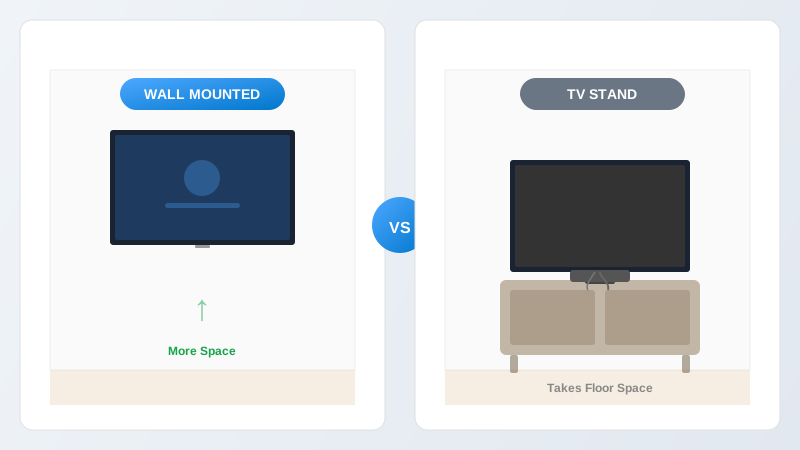
It's one of the first questions people ask when they get a new TV: should it go on the wall or on a stand? Both options work, but they suit different rooms, budgets and priorities. Here's a straightforward comparison based on what we see in customers' homes every day.
Space and Room Layout
Wall mount winsA wall-mounted TV takes up zero floor space. The screen sits flush or nearly flush against the wall, and there's no furniture beneath it unless you choose to have some. In smaller living rooms, bedrooms or kitchens, this makes a genuine difference — you're freeing up the space where a TV unit would have sat.
A TV stand or media unit, on the other hand, needs a solid surface wide enough for the TV's base and deep enough to be stable. For a 55-inch TV, that typically means a unit at least 120 cm wide. In an open-plan room with plenty of space, this isn't a problem. In a compact room, it can dominate the wall and limit where other furniture goes.
Aesthetics and Clean Lines
Wall mount winsThere's a reason every room in a home interiors magazine has the TV on the wall. A mounted screen with concealed cabling looks clean, modern and intentional. Nothing competes with it visually — the TV appears to float on the wall with no wires, no clutter, and no bulky furniture beneath it.
A TV stand can look great too, particularly if it's a quality piece of furniture with storage for consoles, games and media. But it always introduces visual clutter: the stand itself, the cables running to the back of the TV, any devices stacked around it, and the dust that inevitably collects behind everything.
Cable Management
Wall mount winsProfessional wall mounting with concealed cabling eliminates visible wires entirely. Cables are chased into the wall and plastered over, or fed through the cavity on plasterboard walls. The result is a completely wire-free appearance.
With a TV stand, cables run from the back of the TV down to whatever devices are on or near the unit. Even with cable ties and clips, there's usually a visible run of wires behind the TV. Some stands have built-in cable management channels, which help, but cables are still visible during setup and whenever you need to access the back.
Viewing Angle and Height
DependsA wall-mounted TV can be positioned at exactly the right height for your seating position — typically with the centre of the screen at eye level when seated. Full-motion brackets add the ability to swivel the screen toward different seating areas and tilt it for optimal viewing from any angle in the room.
A TV on a stand is limited to the height of the furniture it sits on. Most TV stands put the screen at a reasonable height for sofa viewing, but you have less control. If the stand is too low or too high for your sofa, you're stuck with it unless you buy different furniture.
One advantage of a stand: the TV can be angled by simply rotating it on the surface, which is quick and requires no tools. With a fixed wall bracket, the screen points one direction only — though a full-motion bracket solves this.
Flexibility and Moving
TV stand winsIf you like to rearrange your room regularly, or if you move house frequently, a TV stand is more flexible. Pick up the TV, move the stand, put it back. No holes in the wall, no bracket to uninstall and reinstall.
A wall-mounted TV is a more permanent decision. The bracket is fixed with heavy-duty bolts, and if you've had cables chased into the wall, the channel is plastered over. You can absolutely remove a wall mount and fill the holes — it's a 10-minute job — but it's not something you'd do casually every few months.
That said, most people mount their TV and leave it there for years. The flexibility of a stand is a theoretical advantage that rarely matters in practice.
Safety
Wall mount winsThis matters most in homes with young children or pets. A wall-mounted TV cannot be pulled over. There's no furniture to climb on, and the cables are concealed out of reach. A TV on a stand is a genuine tipping hazard — a curious toddler pulling on the screen or climbing the unit can bring the whole lot down. Anti-tip straps help, but a wall mount eliminates the risk entirely.
Cost Comparison
The costs are closer than most people think:
TV Stand
- Decent unit, depending on size and material
- No installation cost
- Cable clips or management box: £10–£20
Wall Mount
- Professional bracket fitting: £75–£120
- Concealed cabling with chasing: £50–£80
- No furniture needed — saves money overall
The wall mount costs a similar amount to a mid-range TV stand, but you don't need to buy the stand itself — so you can come out ahead overall while getting a much cleaner result.